


- By: Mackay
- Comments (0)
- Aug 27
Meeting Australian Legislative Requirements
Introduction
As remote work becomes a permanent fixture for many Australians, it’s essential to understand how ergonomics impacts our health and wellbeing at the home office desk. Whether you’re working from a spare room, the kitchen table, or a dedicated study, setting up your workspace correctly isn’t just about comfort—it’s also a legislative requirement under Australian work health and safety (WHS) laws.
What Is Ergonomics?
Ergonomics refers to designing and arranging workspaces, equipment, and tasks to fit the worker’s physical needs. Good ergonomics can prevent discomfort, injury, and long-term health issues such as musculoskeletal disorders. At home, this means choosing the right chair and desk, positioning your technology correctly, and taking regular breaks.
Australian Legislative Requirements for Home Office Ergonomics
Under the Work Health and Safety Act 2011 and supporting regulations, employers are legally required to ensure the health and safety of their workers—even if they’re working remotely. This includes providing guidance for safe workstation setup, risk assessments, and ongoing support.
- Duty of Care: Employers must provide a safe working environment, including the home office. This extends to ensuring the workspace is free from hazards that could cause harm.
- Consultation: Employees should be consulted about WHS matters, including ergonomic risks, and given a chance to voice concerns or suggest improvements.
- Risk Assessment: Employers should conduct or provide resources for self-assessment of home workspaces, identifying and mitigating risks such as poor posture or trip hazards.
- Training and Resources: Employees should receive information and training on how to set up their workstation correctly, take breaks, and report any concerns.
State and territory WHS regulators—including SafeWork NSW, WorkSafe Victoria, and others—provide guidance specific to remote work situations. These organisations offer checklists, online tools, and advice to help workers and employers comply with legal obligations.
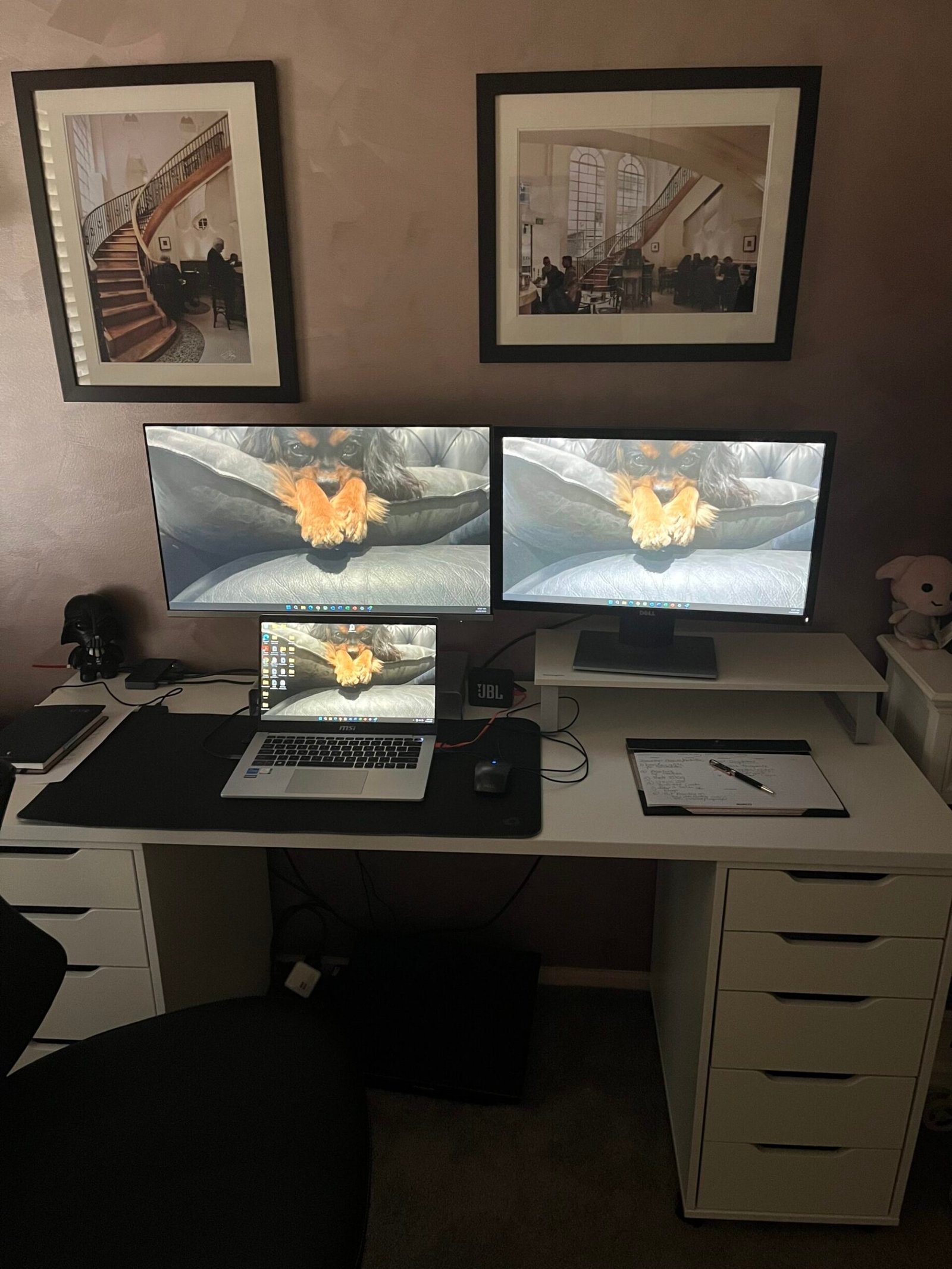
Setting Up an Ergonomic Home Office Desk
- Chair: Choose a chair with adjustable seat height, backrest, and lumbar support. Your feet should rest flat on the floor, and knees should be at a right angle.
- Desk: The desk should be at a comfortable height, allowing your forearms to rest parallel to the floor when typing.
- Monitor: Position your monitor so the top of the screen is at eye level and about an arm’s length away.
- Keyboard and Mouse: Place these close to the body to avoid stretching. Wrists should be straight and elbows close to your body.
- Lighting and Environment: Use natural light where possible; avoid glare and ensure your workspace is well-lit. Keep frequently used items within easy reach to prevent unnecessary twisting or stretching.
Practical Tips for Compliance and Comfort
- Take Regular Breaks: Stand, stretch, and move around every 30–60 minutes.
- Report Issues: If you experience discomfort or notice a hazard, report it to your employer promptly.
- Stay Informed: Visit your state’s WHS regulator website for up-to-date resources and support.
Conclusion
Ergonomics in the home office is both a health imperative and a legal requirement in Australia.
Employers and employees must work together to create safe, comfortable, and productive workspaces. By following ergonomic best practices and understanding legislative obligations, Australians can work from home safely—whether it’s for a few hours, a week, or long-term.
Useful Resources
- Safe Work Australia
- WorkSafe Victoria
- SafeWork NSW
- Comcare (Commonwealth WHS)
Tags: